




There are various ways to access the page where you can edit your shipping address. In general, you can find it in the “Your Account” section of our online shop.
Click on the user icon in the top right corner of the header. A popup will appear. Click on “Address Book” to access your addresses. Here, you can edit both your shipping and billing addresses.
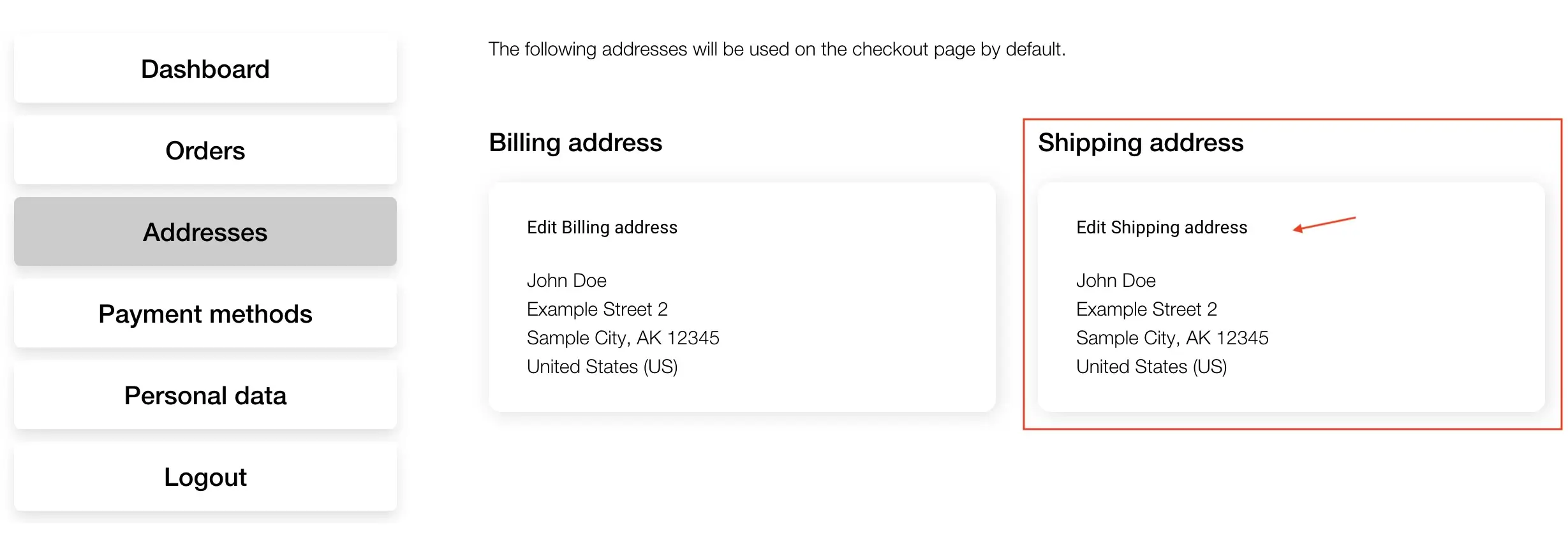
Click on “edit” under “Shipping Address” and update your details. After making changes, click the “Save Address” button.
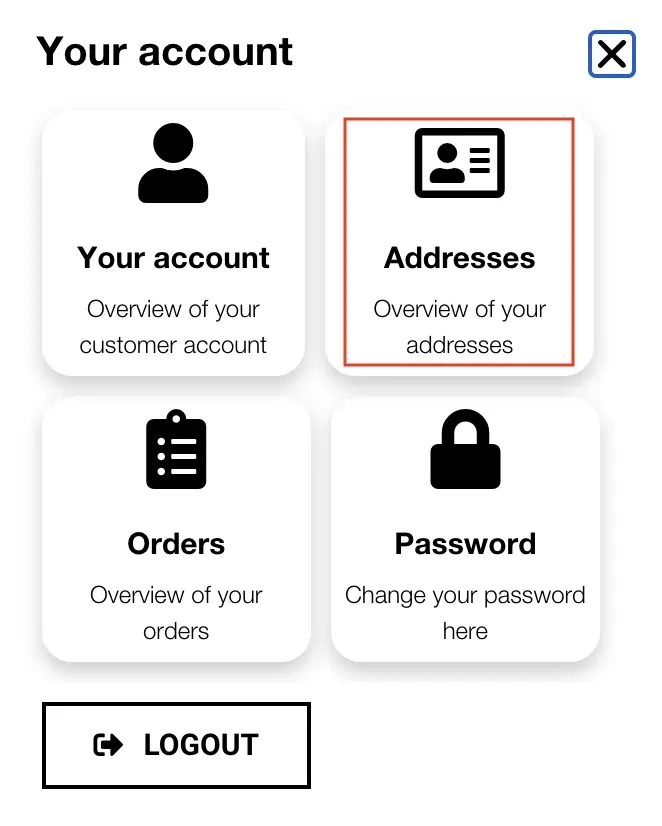
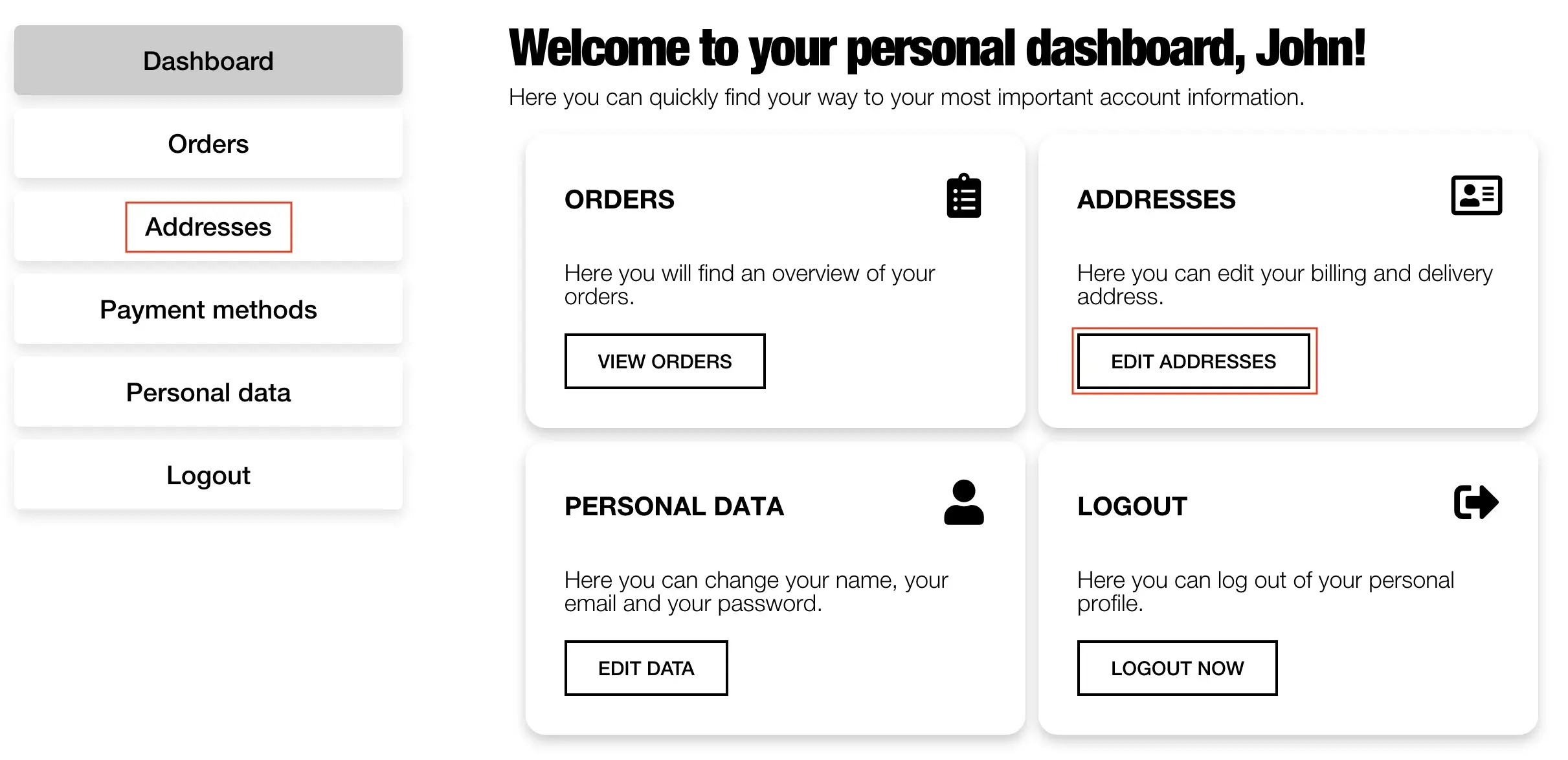
Click on the user icon in the top right corner of the header and log in with your details. You will then be automatically redirected to your dashboard. In the dashboard, click on “Edit Addresses.” This will take you to the address book, where your shipping and billing addresses are saved. You can also click on the “Addresses” tab to access the address book.
Click on “edit” under “Shipping Address” and update your details. After making changes, click the “Save Address” button.
You are currently viewing a placeholder content from Vimeo. To access the actual content, click the button below. Please note that doing so will share data with third-party providers.
More InformationYou are currently viewing a placeholder content from YouTube. To access the actual content, click the button below. Please note that doing so will share data with third-party providers.
More InformationYou need to load content from reCAPTCHA to submit the form. Please note that doing so will share data with third-party providers.
More InformationYou are currently viewing a placeholder content from Facebook. To access the actual content, click the button below. Please note that doing so will share data with third-party providers.
More InformationYou are currently viewing a placeholder content from Google Maps. To access the actual content, click the button below. Please note that doing so will share data with third-party providers.
More InformationYou are currently viewing a placeholder content from Google Maps. To access the actual content, click the button below. Please note that doing so will share data with third-party providers.
More InformationYou are currently viewing a placeholder content from Vimeo. To access the actual content, click the button below. Please note that doing so will share data with third-party providers.
More InformationYou are currently viewing a placeholder content from YouTube. To access the actual content, click the button below. Please note that doing so will share data with third-party providers.
More InformationYou are currently viewing a placeholder content from Instagram. To access the actual content, click the button below. Please note that doing so will share data with third-party providers.
More Information